File Management - Audition
From Help Wiki
File management with any media project is the most important step in post production. Following these steps will save you and your project from unneeded stress and major file corruption.
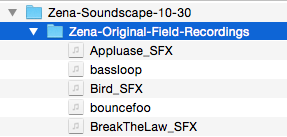
- Always make a project folder with your name, project description, and date within the name field


- Copy your folder that contains all your original field recordings into this project folder as well

- Open the software Audition located in the dock - go to File > New > Multitrack Session


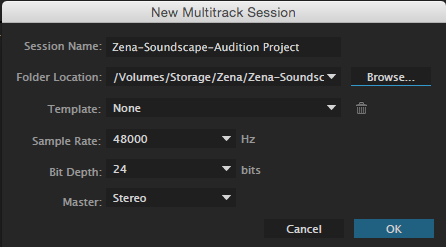
- Name your project following the naming protocol, select Browse and choose your project folder. Set your sample rate 48 Hz, 24 bits, and Stereo